



A modern Meeting Room Booking System is a vital tool for any organization seeking to optimize its workspaces. It streamlines the process of finding and reserving meeting rooms, conference halls, and other shared spaces, eliminating scheduling conflicts and frustrating double-bookings. These systems often feature digital signage outside rooms for real-time availability updates, and seamlessly integrate with popular calendars like Google and Microsoft Outlook. Ultimately, a robust booking system boosts productivity, enhances resource management, and creates a more efficient work environment.
ROOM BOOKING SOFTWARE
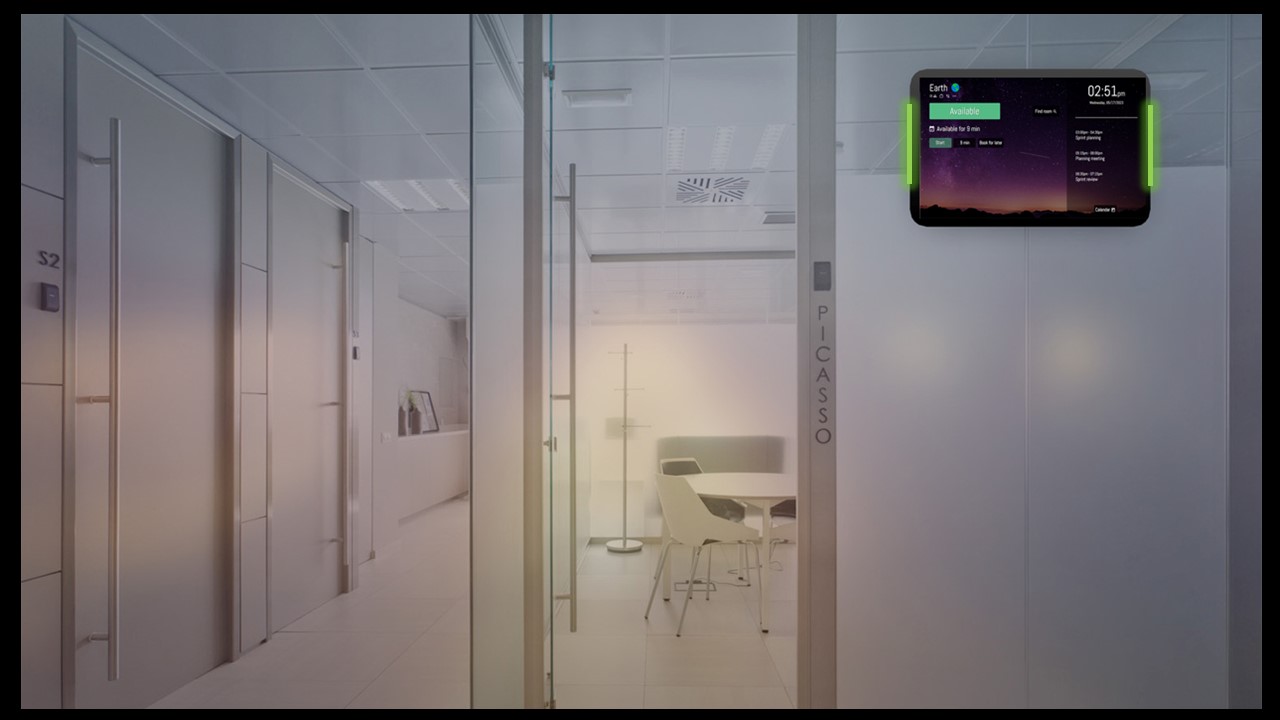
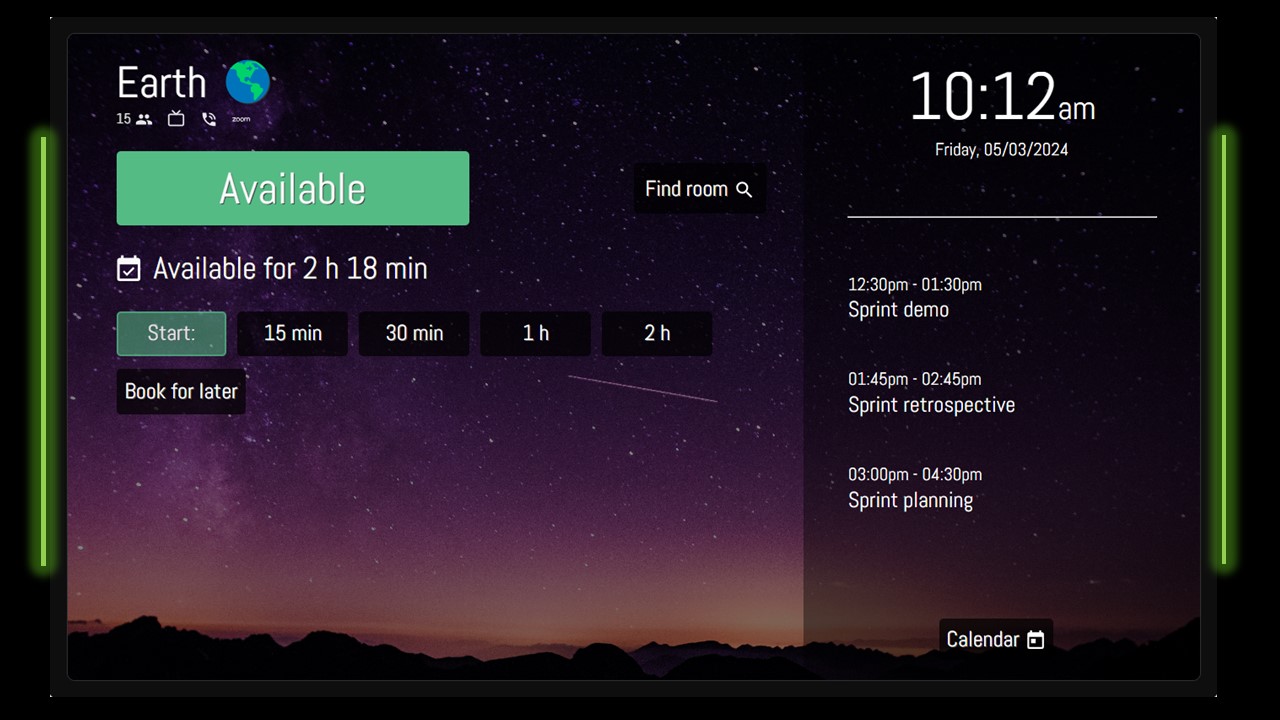
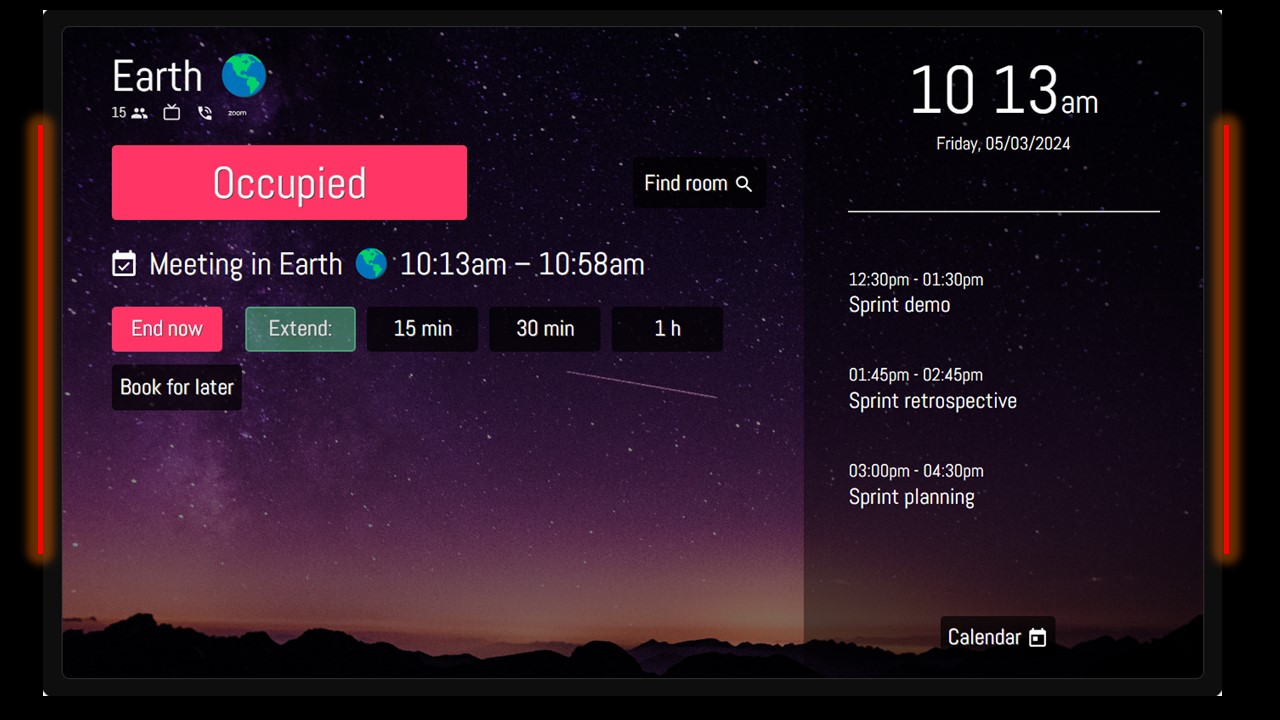
RoomBooking Application is a powerful meeting room booking and management software designed for corporate offices, hospitals, convention centers, and the hospitality industry. It streamlines the process of booking meeting rooms, conference rooms, and banquet halls, for both in-person and virtual gatherings. With real-time digital display signage outside each room, guests and employees can instantly view current and upcoming meeting information. This dynamic scheduler also allows for on-the-spot bookings, and the ability to end or extend meetings directly from the calendar, ensuring your spaces are used efficiently.
BENEFITS OF ROOM BOOKING SOFTWARE
Meeting Room Booking System

USE CASE APPLICATION
ROOMBOOKING APP FEATURES
RoomBooking app called RoomBelt is a cloud web based meeting room booking & display application that integrates with Gmail, MS Office 365 and Zoho Calendar
- Connect a single meeting room or upto 150 meeting rooms and handle them from a central web based platform
- Set the display as per your company branding. Customize just about everything – background, colors, layout.
- Single or Multiple room display. You can display either one or many meeting rooms on a single physical device.
- Book the Room within 5 seconds. You can book the room from the display device with just one single tap.
- All the Roombelt devices are connected. You can find a free room from every device and book it right away.
- Roombelt Cloud App works on Gmail Calendar, MS Office and Zoho Calendar
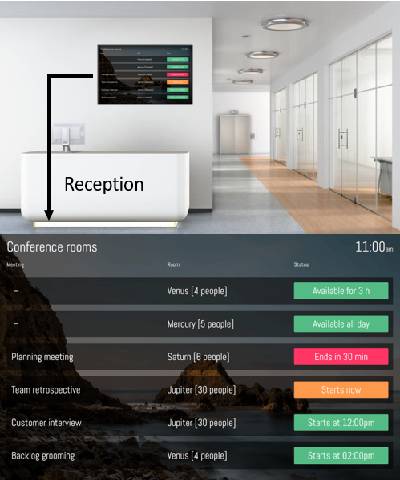
ROOM STATUS VIEW BOARD
Display all current and upcoming meetings status of all the Meeting Rooms on a single TV screen. Roombelt Status board view works great on any TV screen with an Internet browser.
ROOM BOOKING DISPLAY DEVICE
Jarma Technologies offers Philips POE 10.1″ Android Touch Tablet with side LED lights in combo with RoomBelt Software Application. Roombelt supports Android, IOS, Smart TV and Raspberry Pi platform
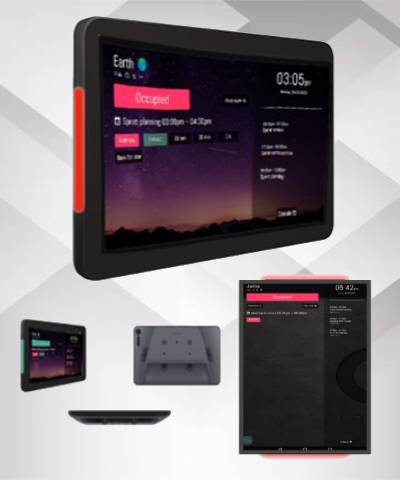
FOR PRICING EMAIL US AT MAIL@JARMA.CO.IN FOR DETAILS
OR CALL US ON +91 91379 85009
FAQ's
Why choose Meeting Room Booking Solution from Jarma Technologies?
Jarma Technologies offers a dynamic room booking solution that seamlessly integrates with your existing calendars like Google and Microsoft 365. With real-time digital signage and flexible features like on-the-spot booking, our system simplifies scheduling, boosts productivity, and ensures optimal use of your corporate spaces.
What is the Cost of Application License and Can we use on our display device?
The pricing of application depends on volume of license. Our pricing starts from 30K* for yearly subscription on upto 5 display devices and so on. Yes, Customers can get it installed directly on any brand Android Tablets or Apple Ipads by downloading the application from Google Playstore and Apple Store. Jarma too offers display screen options which you can check on the website.
Can I book Meeting Room from my outlook calendar?
Outlook is a client application where you can set up you email ID. Our application supports GMAIL, MS OFFICE 365 & ZOHO Calendars. hence if you have set up any of these 3 supporting calendars in Outlook, you can book the meeting room from the Outlook calendar itself.
Is this cloud application and can one get it installed ON Premise?
Yes, it is a Cloud based yearly subscription license based model. We do offer On Premise option but only if the license volume required is more then 30+.